
Since today teh browser Google Chrome will be removing ads from sites that do not follow the Better Ads Standards.
The Better Ads Standards have been released by The Coalition for Better Ads, an industry group devoted to improving the experience of the ads we see on the web.

Goole informs that as of February 12th, 42% of sites which were failing the Better Ads Standards have resolved their issues and are now passing.
However, if a site continues to maintain non-compliant ad experiences 30 days after being notified of violations, Chrome will begin to block ads on that site.
Google underscores that the objective of installing the adblocker at the network level is that sites take steps to fix intrusive ads experiences themselves and benefit all web users.
Rahul Roy-Chowdhury (Vice President, Chrome) explains on this point: “Your feedback has always played a critical part in the development of Chrome. This feedback has shown that a big source of frustration is annoying ads: video ads that play at full blast or giant pop-ups where you can’t seem to find the exit icon. These ads are designed to be disruptive and often stand in the way of people using their browsers for their intended purpose—connecting them to content and information. It’s clear that annoying ads degrade what we all love about the web. That’s why starting on February 15, Chrome will stop showing all ads on sites that repeatedly display these most disruptive ads after they’ve been flagged”…”It’s important to note that some sites affected by this change may also contain Google ads.”
How are the sites evaluated: The Ad Experience Report API
As explainded by Google, sites are evaluated by examining a sample of pages from each of them. Depending on how many violations of the Better Ads Standards are found, the site will be evaluated as having a status of Passing, Warning, or Failing.

The evaluation status of sites can be accessed via the Ad Experience Report API. Site owners can also see more detailed results, such as the specific violations of the Better Ads Standards that were found, via the Ad Experience Report in Google’s Search Console.
From the Report site, owners can also request that their site be re-reviewed after they have addressed the non-compliant ad experiences.
How does the Chrome adblocker work
At a technical level, when a Chrome user navigates to a page, Chrome’s ad filter first checks if that page belongs to a site that fails the Better Ads Standards. If so, network requests on the page (such as those for JavaScript or images) are checked against a list of known ad-related URL patterns.
If there is a match, Chrome will block the request, preventing the ad from displaying on the page. This set of patterns is based on the public EasyList filter rules, and includes patterns matching many ad providers including Google’s own ad platforms, AdSense and DoubleClick.
Users can disable the adblocker site by site
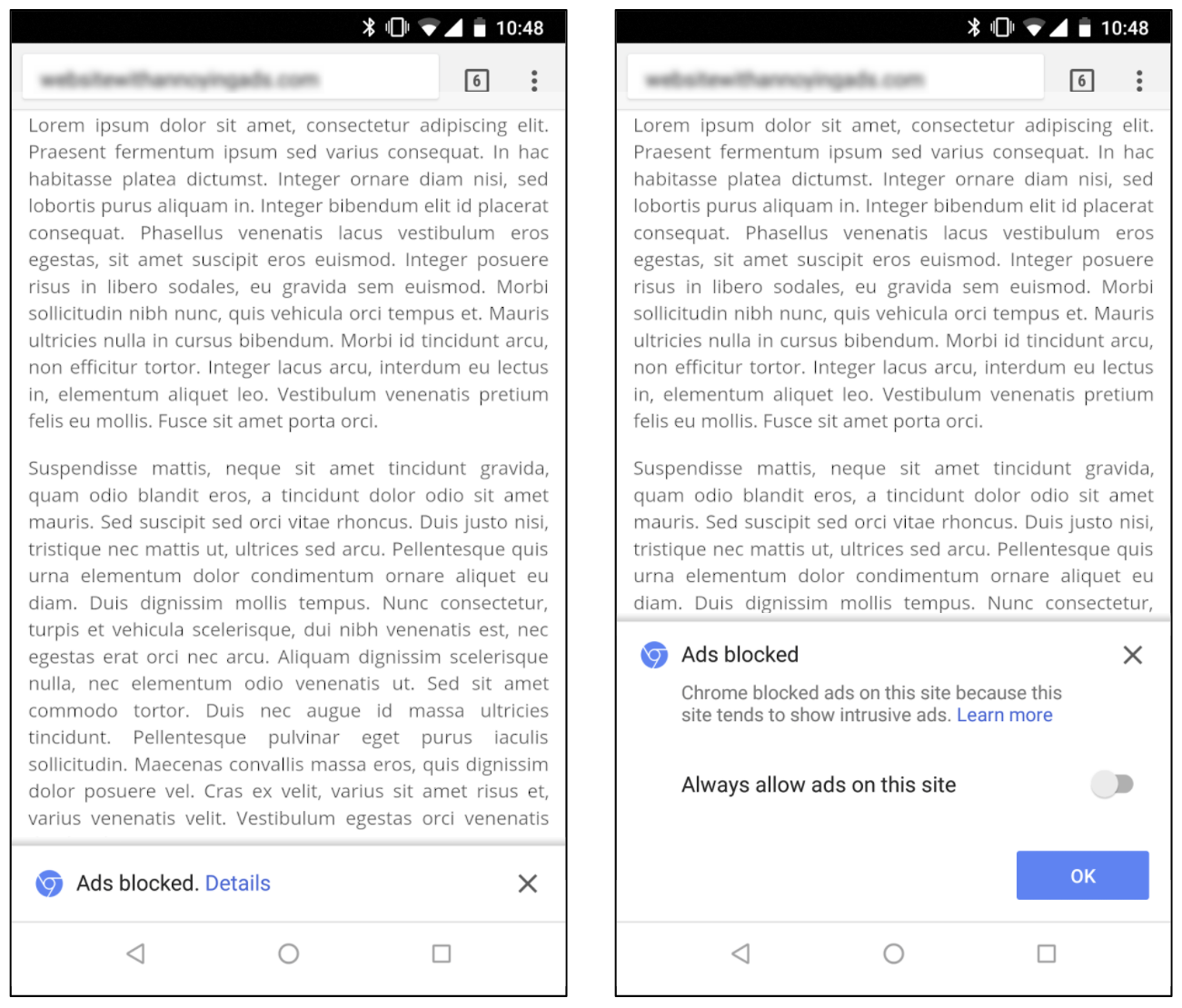
When at least one network request has been blocked, Chrome will show the user a message indicating that ad blocking has occurred as well as an option to disable this setting by selecting “allow ads on this site.”
For desktop users, the notification in Chrome’s address bar will look similar to Chrome’s existing pop-up blocker.
Android users will see message in a small infobar at the bottom of their screen, and can tap on “details” to see more information and override the default setting.
Image over the headline.- © Google.
Related external links:
Better Ads Standards developed by The Coalition for Better Ads